
Adobe After Effects: Futuristic Motion Graphics & Animation (Udemy.com)
Master the tools you need to conquer any project in just 1.5 hours!
Created by: Duncan Rogoff
Produced in 2017
 What you will learn
- Create, from scratch, a rectangular graphic
- Create, from scratch, a circular graphic
- Animate using basic keyframes and simple expressions
- Color key greenscreen footage
- Motion track live-action footage
- Composite graphical elements for a final piece
 Quality Score
Overall Score : 98 / 100
 Live Chat with CourseDuck's Co-Founder for Help
 Course Description
Master the tools you need to conquer any project in just 1.5 hours.
You'll learn how to:
*create and design your graphics using only After Effects' built-in tools,
*animate your graphics using basic keyframes and simple expressions,
*achieve a clean green screen color key
*motion track live-action footage
*composite your animated graphics over top for a final look.
The first two sections will cover creating a rectangular graphic and a circular graphic from scratch entirely inside of After Effects. You'll gain knowledge of the AE layout as well as where to find some of the software's most important, and commonly used, tools. We'll discuss working with shape layers, using the stroke effect, After Effects' built-in alignment and distribution tools, and loads of other good stuff.
The following two sections is where the fun begins as you learn how to animate your graphics and watch them come to life. I'll cover animating with basic keyframes and teach you some simple expressions you can use to achieve complex animations without actually setting any keyframes! You'll also learn how to animate your layers in 3D space, and how to work with the camera to create depth.
Finally, I'll teach you how to put it all together for a final piece! You'll learn the techniques used to get a clean green screen color key, how to motion track live-action footage, and how to place your already animated and completed graphics on top of the live-action footage to create the final look.Who this course is for:
- Beginner and Intermediate level After Effects users
- Anyone interested in learning more about After Effects


*Some courses are excluded from this sale. Coupon not working? If the link above doesn't drop prices, clear the cookies in your browser and then click this link here.
Also, you may need to apply the coupon code directly on the cart page to get the discount.
 Instructor Details

- 4.9 Rating
 37 Reviews
Duncan Rogoff
Freelance video editor and motion graphics artist based in San Francisco, CA.
Clients include: PlayStation, Charles Schwab, Visa, Salesforce, Facebook, Apple, WeChat, FICO, Slingbox, Marc Jacobs, Kat Von D, Sephora...
MOTION GRAPHICS ARE EVERYWHERE! I have created content to play on television, in sports arenas, in bank branches, on the web, in emails and internal presentations, at events, in movie theaters, and on social media. I have produced work that fits within brand guidelines, while continuing to be a part of the conversation and provide input as it relates to brand strategy and video.
I started my professional career in 2011 at a San Francisco ad agency, but I was cutting video long before that. This gave me both a solid foundation for work in multiple environments, a strong technical background, and the confidence to venture out on my own. Since then, I have freelanced in offices all over the Bay Area looking for places where I can advance my own skills and knowledge, develop strategy, and further brand. I am almost entirely self-taught and am extremely well-versed in all things post-production.
I understand that each project has it's own unique style and flow, and that story comes first. I enjoy exploration as well as designing with the client in mind. I am extremely proficient in Premiere Pro CC and have extensive knowledge of After Effects and Cinema 4d.
Always looki
 Reviews


- Video Duration:
 2h
2h - Price: 11.99 Track Price 11.99 Track Price
- Provider:
 Udemy
Udemy - Year:
 2017
2017 - Language:
 English, English [Auto-generated]
 - Certificate:
 Yes
Yes

30-Day Money-Back Guarantee
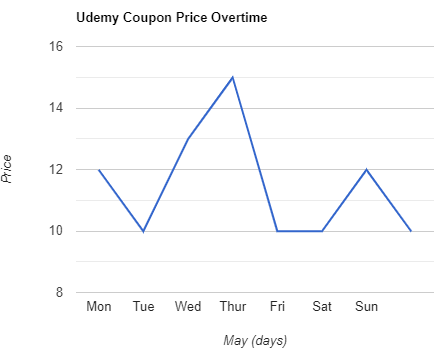
Udemy Coupon Price Tracker